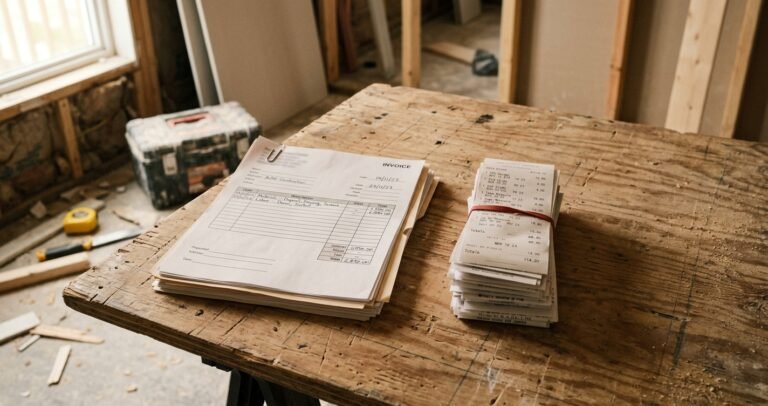

House flip receipt tracking works when every receipt becomes a tagged entry the day you get it. Scanning is the fastest way to make that happen.
You know the alternative. Receipts pile up in the truck console, a jacket pocket, and the glove box. Three weeks later, you have to type them all in, and half of them have faded or gone missing.
This guide shows a scan-to-log workflow you can run from the job site. It covers what to capture, where scanning goes wrong, and which records matter for taxes and lenders.
See logging expenses the day they happen for the daily habit behind it. See house flip profit tracking, stage by stage for where receipts fit in the bigger picture.
Key Takeaways
- Scan every receipt the day you get it, while the details and the paper are both still in your hands.
- A good scan pre-fills the amount, vendor, and date. You still add the cost type, who paid, and the budget category.
- Check the logged total against the receipt every time. Faded or crumpled paper is where reading errors creep in.
- Keep records as long as the IRS says they may be needed, and ask your CPA how that applies to your flips.
- Some lenders, Kiavi among them, release draws only for work that’s completed and paid for, so a clean receipt file helps at draw time.
Why the receipt matters after the purchase
A receipt does two jobs. It proves what you spent, and it shows what that money bought.
The IRS says to keep your records for as long as they may be needed to administer tax law. In most cases that’s three years, and some situations run longer (IRS Publication 583). Records for property are tied to the year you dispose of it. How that applies to a flip depends on how your business is set up, so ask your CPA.
Digital copies count, with conditions. The same publication says the rules for paper records also apply to electronic storage, including imaging. You can destroy the originals only if your system has been tested and your procedures keep it compliant. Until you’re sure, keep the paper.
Your lender cares about receipts too. Kiavi’s draw guide says work must be completed, installed, and paid for before funds are released. Its standard programs require paid invoices that total or exceed the draw amount, and material receipts are requested at the lender’s discretion (Kiavi, June 2026).
Another lender’s guide says a draw package should include photos, contractor invoices, and receipts for that stage. It adds that missing invoices, unsigned waivers, or unclear photos send more requests back than anything else (Simple Lending, September 2026). See draw schedule for a fix and flip for how draws work.
The scan-to-log workflow
Here’s the routine in four steps.
- Photograph it the day you get it. Lay the receipt flat in good light and fill the frame. Paper gets crumpled, wet, and lost on a job site, so don’t let it ride around in the truck for weeks.
- Let the scan read the basics. A receipt scanner reads the amount, vendor, and date off the photo and pre-fills the entry. You just confirm.
- Add the tags and the category. Pick the cost type and who paid, then the budget line, such as plumbing. If you run more than one flip, pick the property too. See labor versus material cost tracking for the full tagging rules.
- Check the total, then file the original. Compare the logged amount to the printed total. Then drop the paper in one labeled envelope or box per project.
Where scanning goes wrong
A scan saves typing. It doesn’t save you from judgment calls. Watch for these five problems.
Faded or crumpled receipts. Reading errors can rise when the print is weak. Check the total on every scan, not only the ugly ones.
Mixed purchases. One hardware-store receipt can hold rehab materials and something personal. Log only the rehab lines, or split the entry.
Split payers. If you and your contractor share one purchase, log two entries, one for each payer.
Duplicates. Scanning the same receipt twice inflates your cost. So does scanning a receipt that’s also on a contractor invoice. Look for a matching amount and date before you save.
Missing context. A scan knows the vendor, not the budget line. A charge at an electrical supplier could be rough-in or fixtures. You decide where it goes.
A worked example: one Saturday of receipts
Here’s an illustrative Saturday with three receipts, each scanned and tagged before you left the site.
- Lumber yard, framing lumber: Material · Self-purchased · Framing · $412.60
- Dumpster rental: Other · Self-purchased · Demo and haul · $475.00
- Electrical supply, wire and boxes: Material · Self-purchased · Electrical · $186.35
Those three entries add up to $1,073.95 across three budget lines. Each one has its photo attached. If your lender or your CPA asks about the dumpster in March, you pull it up in seconds.
Now the profit math. The $340,000 deal in how to calculate house flip profit nets $22,650. Suppose these three costs belong in that deal’s rehab, and the receipts never reach the log. Projected profit then reads $23,723.95 instead of $22,650.00. That’s about $1,074 too high, and you won’t see it until the bills stop adding up.
Compare that to a Sunday-night shoebox. You’d be guessing which line the $186.35 belonged to, and you’d have no photo to check.
How to choose a scanning tool
Not every scanner fits a flip. Look for these features:
- It reads the amount, vendor, and date, and lets you correct them.
- It lets you add a cost type and who paid, not just a category.
- It keeps the original image attached to the entry.
- It handles more than one project.
- It works from your phone at the job site.
A general expense app can scan receipts. It may not know your budget lines or your flip’s projected profit. See tracking house flip finances, spreadsheet versus software versus app for how the options compare.
Frequently asked questions
Does the IRS accept scanned receipts?
It can, if your system meets the same requirements as paper records. The IRS says that includes electronic storage by imaging. Keep the originals until you’re sure your system qualifies, and ask your CPA.
How long should I keep flip receipts?
In most cases the IRS period is three years, and it can run longer. Property records are tied to the year you dispose of the property. Ask your CPA how that applies to your flips.
Do lenders need my receipts for a draw?
It depends on the lender. Kiavi, for one, requires paid invoices on standard draws and requests material receipts at its discretion. Another lender lists receipts in the draw package. Check your loan terms.
Should I scan contractor invoices too?
Yes. Scan them like any receipt, tag labor and materials separately, and mark them contractor-paid. That keeps them from being counted again when you log your own purchases.
Scan it, tag it, check the total
House flip receipt tracking comes down to a short routine. Photograph the receipt the day you get it, add the two tags, confirm the total, and file the original. Do that and your cost log stays current, your records hold up, and your lender gets what it asks for.
See daily expense logging for the habit that keeps the whole routine current.
This article is for education, not financial or investment advice. Portions were drafted with AI assistance and reviewed by the author.
About the author — Albert Chui. Albert Chui is a real estate investor in the San Gabriel Valley, California, who has flipped roughly 80 houses in the area since 2021. He ran those projects on spreadsheets at first, and learned firsthand how contractor changes, delays, and mid-rehab overruns quietly turn a profitable deal into a thin one. He founded FlipMargin so flippers can see current costs and projected profit throughout a rehab, not just at closing.